Erreichen Sie Ihr Heimnetz unter einem festen Hostnamen
Ihre IP wechselt. Ihr Hostname nicht. DynDNS hält Ihre Domain rund um die Uhr auf Ihren Router gerichtet.
Richten Sie einen festen Hostnamen auf Ihre ständig wechselnde Heim-IP — Ihr Router aktualisiert den Eintrag automatisch, für IPv4 und IPv6, abgesichert mit eigenen Zugangsdaten je Domain.
Erstellen Sie bis zu 5 DynDNS-Domains komplett kostenlos.
Verbinden Sie Ihre eigene Domain per TSIG-Schlüssel – oder starten Sie sofort auf unseren gemeinsamen System-Domains.
Reservieren Sie ein persönliches Suffix unter einer System-Domain (z. B. alice.dxdns.de) und legen Sie darunter so viele Domains an, wie Ihr Tarif erlaubt.
Warum DynDNS von dremaxx
Greife von überall unter einem festen Hostnamen auf Heimserver, NAS oder Kamera zu.
Ihr Router meldet jeden IP-Wechsel – der DNS-Eintrag folgt in Sekunden.
Voller Dual-Stack-Support mit A- und AAAA-Einträgen für moderne Anschlüsse.
Jede Domain erhält ein eigenes Router-Passwort; Zonen-Updates sind TSIG-signiert.
So funktioniert DynDNS
Domain anlegen
Wählen Sie eine System-Domain oder bringen Sie Ihre eigene mit und erstellen Sie eine Domain in der Konsole.
Router einrichten
Tragen Sie Update-URL und Zugangsdaten in die DynDNS-Einstellungen Ihres Routers ein.
Fertig
Ihr Router aktualisiert den Eintrag automatisch, sobald sich Ihre IP ändert.
Ihre Domain, Ihr DynDNS
Binden Sie Ihre eigene Domain per TSIG-Schlüssel an das dremaxx-DynDNS-System an – völlig kostenlos – und lassen Sie Ihren Router home.ihredomain.de aktualisieren.
- Funktioniert mit jedem TSIG-/RFC-2136-fähigen DNS-Server – oder einfach mit einer dremaxx-DNS-Hosting-Zone.
- Beliebige Tiefe: home.deinedomain.de, nas.buero.deinedomain.de – sogar die Domain selbst.
- Wildcard-Unterstützung: veröffentliche *.deinedomain.de bei jedem Update mit.
Die DynDNS-Konsole in Aktion
Ein Blick in die DynDNS-Konsole — Ihre Domains und Update-Verlauf an einem Ort.
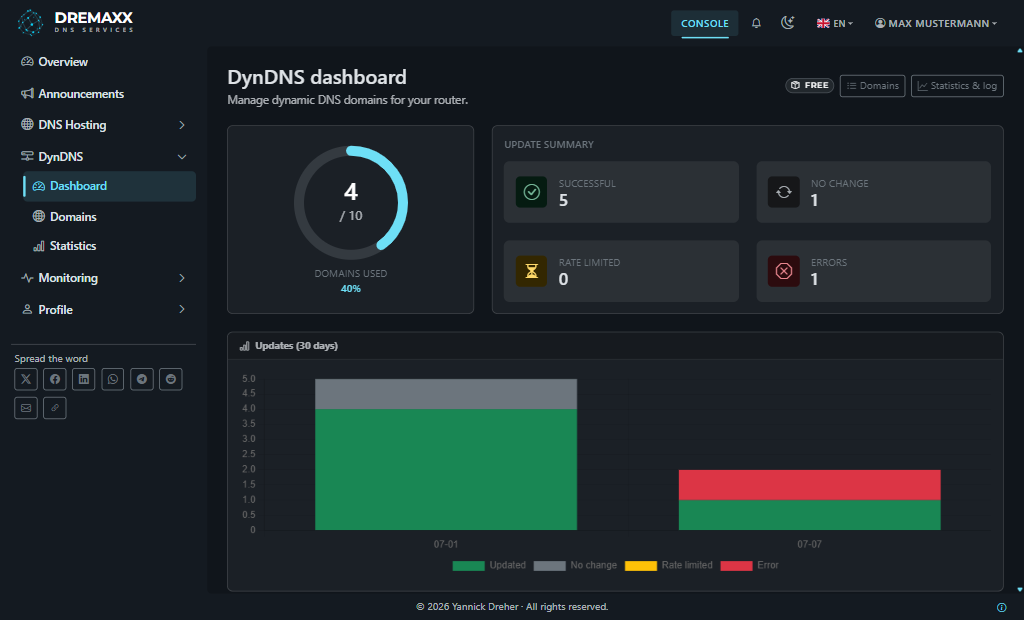
Domains, letzte Updates und Ihre Tariflimits auf einen Blick.
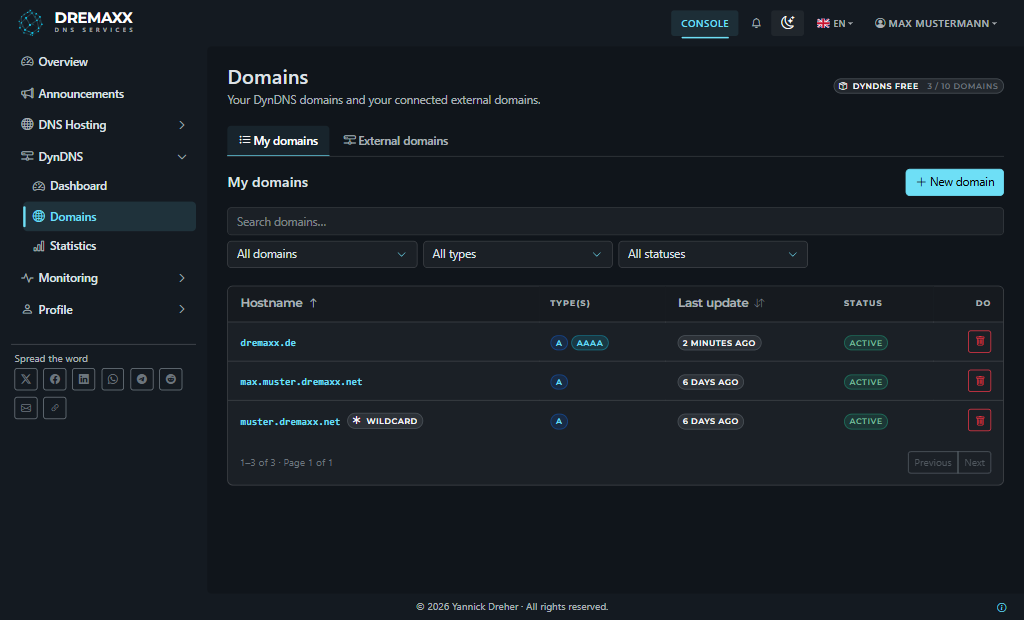
Alle Ihre DynDNS-Domains mit Status und zuletzt gesehener IP in einer Liste.
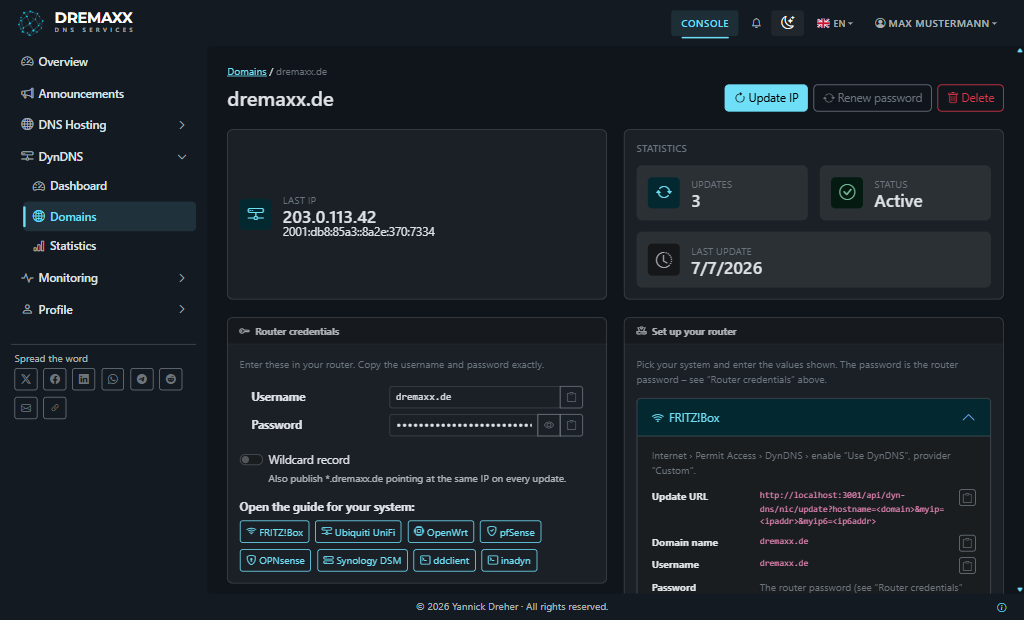
Router-Zugangsdaten, Update-URL und vollständiger Update-Verlauf je Domain.
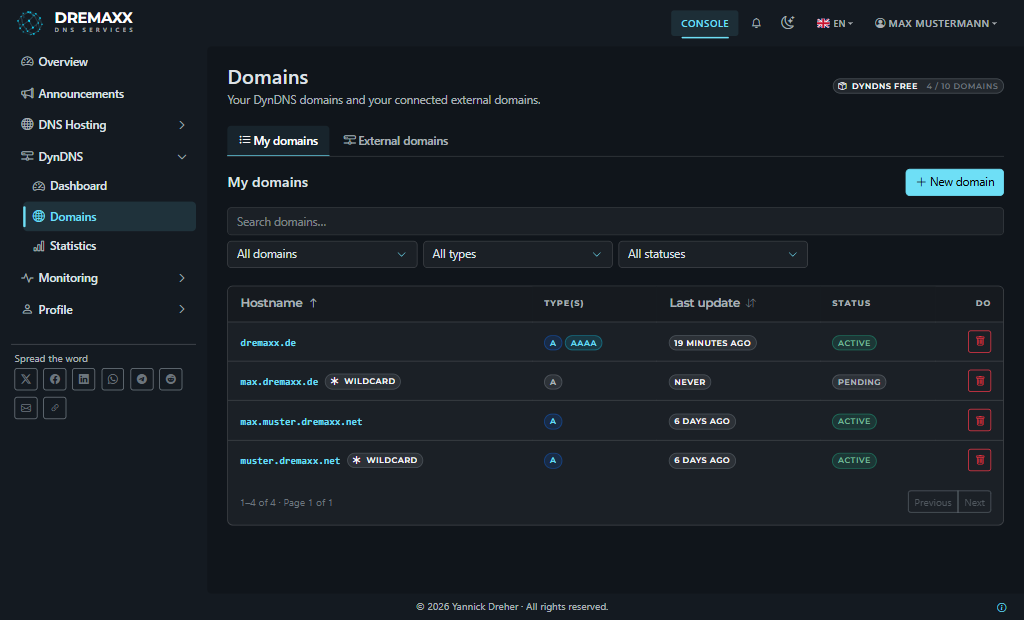
Verwalten Sie gemeinsame System-Domains und verbinden Sie Ihre eigene per TSIG-Schlüssel.
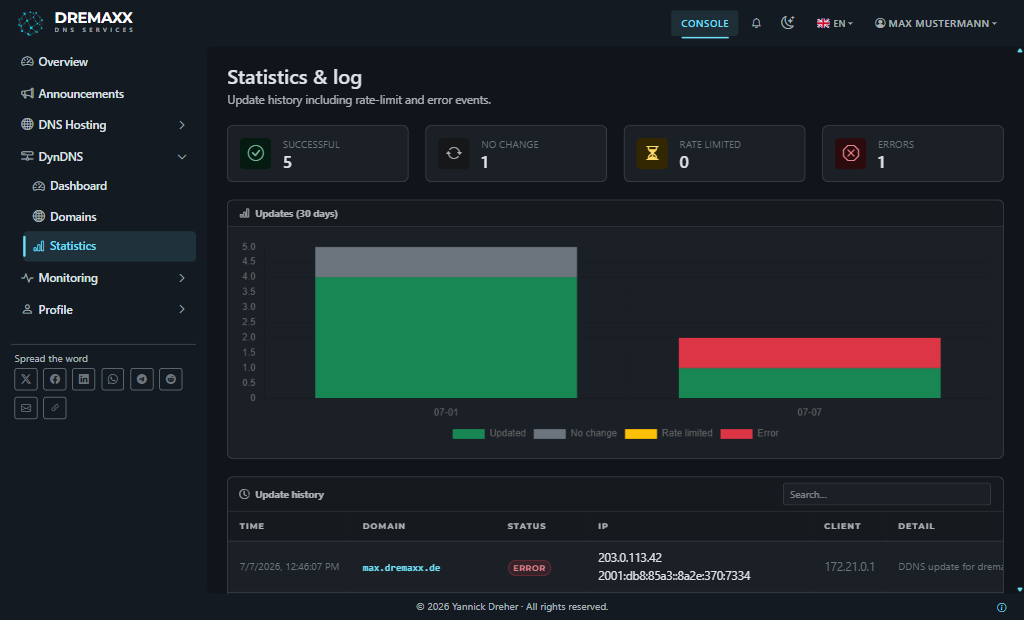
Jedes Update nach Status, IP und Zeit als Diagramm – durchsuchbar und klar.
Gemacht für Ihr Heimnetz
Alles, um zuverlässig einen Hostnamen auf einen dynamischen Anschluss zu richten.
Kompatibler dyndns2-Endpunkt, den praktisch jeder Router und DynDNS-Client spricht.
Aktualisiere A- und AAAA-Einträge unabhängig – sende eine oder beide Adressen.
Einträge werden per RFC 2136 mit TSIG-Schlüsseln in die Zone geschrieben – keine offenen Updates.
Betreiben Sie so viele Domains, wie Ihr Tarif erlaubt – eine je Gerät oder Dienst.
Nutzen Sie eine sofort verfügbare System-Domain wie dxdns.de oder dxdns.org oder verbinden Sie Ihre eigene Domain per TSIG-Schlüssel.
Jede Domain erhält ein eigenes Router-Passwort, das Sie jederzeit erneuern können.
Sieh jedes Update mit Status, IP und Zeitstempel – durchsuchbar und als Diagramm.
Updates Ihres Routers erscheinen live im Dashboard – ohne Neuladen.
DynDNS im Dialog verwalten
Verbinden Sie Ihren KI-Assistenten mit dem DynDNS-Endpunkt und lassen Sie ihn Hostnamen anlegen, Zugangsdaten ausgeben und das Update-Protokoll auswerten — ohne dafür die Konsole zu öffnen.
https://dremaxx.de/api/mcp/dyn-dns- Lege einen neuen DynDNS-Hostnamen für meinen Router an.
- Welche meiner Hostnamen haben sich seit gestern nicht gemeldet?
- Auf welche IP zeigt home.example.com gerade?
Ihre Grenzen, nicht die der KIJeder Aufruf läuft durch dieselbe Rechteprüfung und dasselbe Protokoll wie die Konsole. Ein Assistent kann damit nie mehr tun, als Sie seinem Token erlaubt haben – und Sie entziehen es jederzeit mit einem Klick.
Funktioniert mit Ihrem Router
Unser Update-Endpunkt folgt dem weit verbreiteten dyndns2-Protokoll. Wählen Sie Ihren Router oder Client für eine Schritt-für-Schritt-Anleitung:
Keine passende Vorlage? Wählen Sie den Anbieter „benutzerdefiniert“ und fügen Sie die Update-URL aus der Konsole ein.
Bereit, von überall nach Hause zu kommen?
Legen Sie in wenigen Minuten Ihren ersten DynDNS-Hostnamen an – kostenlos – und lassen Sie Ihren Router den Rest erledigen.
Kostenlos registrierenDas sagen Nutzer über Dynamisches DNS
Basierend auf 1 Bewertung
Um mal schnell auf den Homeserver zu gelangen
Ein DynDNS-Dienst ohne dass man mit Werbung genervt wird oder daran monatlich per email erinnert werden muss um die Domain weiterhin aktiv zu halten. Die Einrichtung klappt dank der Verfügbaren Beispielen einfach. Vielen Dank an den Entwick…
Zuletzt gemeldet
Nichts verpassen
Sie erhalten eine E-Mail, sobald es zu dyn-dns etwas zu melden gibt — Störungen, Wartungen und Neuigkeiten. Jederzeit änderbar, jederzeit kündbar.